
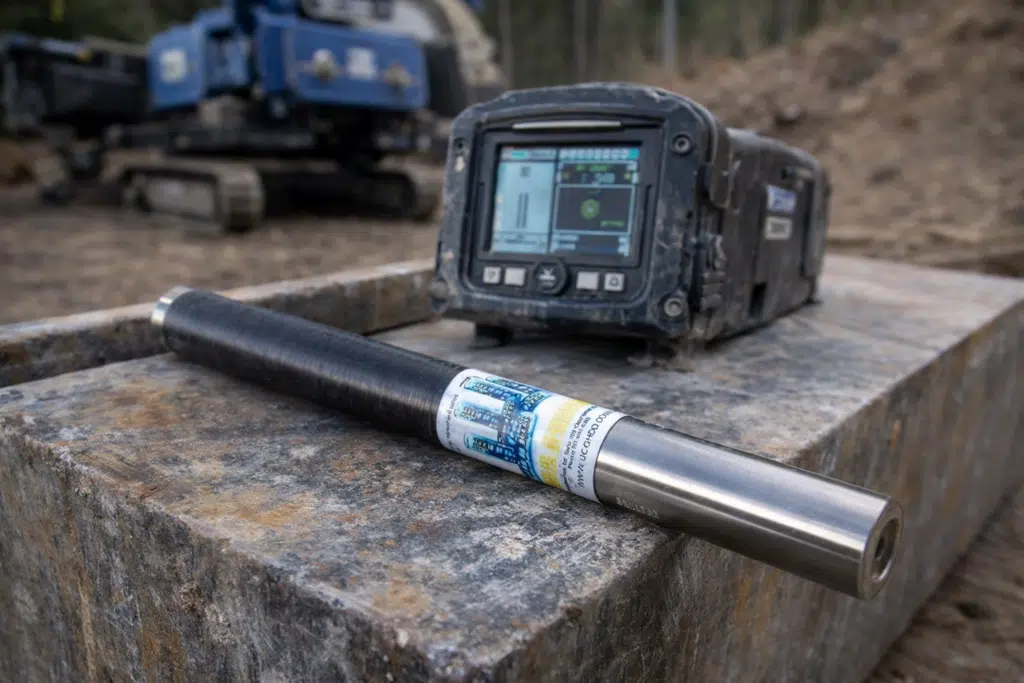
A Falcon F5 transmitter can fail for two very different reasons. One is simple: power, pairing, frequency choice, or sealing problems that you can fix in the field. The other is true hardware trouble—the kind that keeps coming back and costs you days.
This guide helps HDD and utility contractors decide when to repair and when to replace a DigiTrak Falcon F5 transmitter. It stays practical: what to check first, how warranty hours change the decision, and what warning signs mean you’re done spending money on service.
What Falcon F5 transmitters are built to do—and why that affects the repair decision
Falcon F5 transmitters are designed for work where interference is part of the job. The system is built around wideband operation, commonly described across a 4.5–45 kHz range. That range matters because “bad signal” isn’t always a broken transmitter. Many times it’s a noisy jobsite, the wrong frequency choice, or unstable power. Wideband capability gives you more options to find a usable channel and keep locating stable.
These transmitters also support different power setups. Depending on the model, you’ll see battery options that include standard alkaline C-cells and higher-output options such as SuperCell. That sounds like a small detail until you’re chasing intermittent data loss. The battery choice and the condition of the battery system can change how the transmitter behaves under load, especially when you’re pushing distance, running long bores, or working in difficult ground.
Falcon F5 transmitters are also tied into features contractors care about in real work—things like wide frequency scanning and jobsite-oriented performance claims that are part of the Falcon platform. The key takeaway for repair vs replace is simple: these are not “basic beacons.” They’re tools built to deliver reliable data in messy conditions. When they start acting up, you need to separate setup problems from true failure—and you need a decision process that protects uptime.
Before you call it “dead”: field checks that solve the common false alarms
Start with field checks. They cost minutes and often save a repair bill. Just as important, they prevent the worst kind of mistake: shipping a transmitter out for “repair” when the real problem is power, sealing, or pairing. Do these steps in order and write down what you learn.
Power, battery type, and sealing: the fastest way to rule out “fake failures”
First, confirm you’re using the correct battery type for the transmitter model and length. Falcon F5 transmitters have published battery type options, and using the wrong battery—or a weak one—can create symptoms that look like electronics failure: data dropouts, unstable readings, or short periods of normal operation followed by loss of communication.
Next, inspect the battery cap and sealing surfaces. Pay attention to the O-ring and the threads. A nicked O-ring, debris on the sealing surface, or damaged threads can invite moisture and grit. That doesn’t always kill the transmitter on the spot. It often causes intermittent issues that get worse over time—exactly the kind of problem crews chase for weeks because it comes and goes.
Also watch what you cover with tape. General care guidance for this platform warns against covering the IR port. If you block it, you can create communication and pairing problems that feel like a transmitter failure but aren’t.
If you do nothing else, do this: test with known-good batteries, clean the cap and sealing surfaces, confirm the O-ring is intact, and make sure nothing is blocking the IR port. Then retest.
Pairing, frequency choice, and missing roll/pitch data: fix the workflow before you blame the hardware
If you see missing roll and pitch data or you can’t pair a transmitter, don’t jump to “bad transmitter.” Treat it as a workflow problem first. There is published troubleshooting guidance for missing roll/pitch data and pairing failures, and the common theme is straightforward: confirm the transmitter is powered correctly, confirm you are pairing the right way, and confirm the frequency setup matches what the locator expects.
Wideband systems can still stumble if the setup is wrong. If the transmitter and locator aren’t aligned on the intended channel or pairing process, you can get partial data, unstable data, or no data at all. In the field, that feels like a “dead” unit. On a bench, it often turns out to be a setup and communication issue.
Here’s the practical test: if the transmitter pairs correctly, holds data, and stays stable after power cycling, you likely solved a field problem. If it pairs briefly and drops, or refuses to communicate after you’ve confirmed known-good power and correct pairing steps, you’ve moved into repair territory.
Warranty hours change the math—check them before you spend a dollar
Falcon transmitters have a published warranty structure that uses both time and runtime hours. For Falcon transmitters, the warranty is stated as 3 years or the first 500 hours of use, whichever occurs first. That one detail can flip your decision.
A transmitter can look clean and still be high-hour. If it’s been your go-to on every bore, it may be closer to the 500-hour mark than you think. That’s why runtime hours belong in the first line of your repair/replace checklist. Don’t guess. Check and record the hours using the available transmitter information/runtime viewing tools.
Repair coverage is not the same as product warranty coverage. For service/repair work, the published coverage is 90 days from the date of repair. That matters because it changes what you’re buying. You’re not buying a reset. You’re buying a shorter window. On a high-hour transmitter, that can be a poor trade if the unit is likely to develop the next failure soon after the first fix.
Before you approve any repair, document these basics:
- Transmitter model and length
- Runtime hours
- The exact symptom (no communication, intermittent dropouts, missing data)
- Battery type used and whether you tested with known-good batteries
- Condition of cap/O-ring/threads and any signs of moisture or grit exposure
- Whether the issue is constant or intermittent after correct pairing steps
Those notes make the decision cleaner and shorten diagnostic time if you send the unit in.
Repair or replace: a decision framework that matches how contractors work
Repair makes sense when it restores reliability without turning into a loop. Replacement makes sense when service becomes a pattern: repair, reinstall, fail again. The goal is not to “win” the argument. The goal is to keep crews working.
Start with two published reference points: replacement pricing/availability information for transmitters, and the warranty structure for Falcon transmitters and repairs. If your transmitter is high-hour and out of coverage, you should treat the decision as a risk decision, not just a cost decision. If it is within the warranty window, be cautious about spending money on a repair that doesn’t improve your coverage position.
There’s also a quality reality. The manufacturer has published warnings that repaired locating products can introduce project risk, especially when workmanship varies or stressed components are left in service. Whether you agree with the tone or not, the core point is useful: transmitters are accuracy tools. “Mostly working” isn’t good enough.
Use this framework:
- Rule out field issues (power, sealing, pairing/frequency).
- Check runtime hours and your warranty position.
- Compare repair cost and turnaround time against replacement cost and the risk of repeat failure.
When repair usually makes sense
Repair is usually the right call when the transmitter has meaningful life left and the failure is clear. That often looks like this:
- The problem is repeatable after you control for power and pairing
- The transmitter is not extremely high-hour compared to your fleet use
- Repair cost is clearly below replacement cost
- The timing works with your schedule, and you have a backup plan during turnaround
Repair also makes sense when you want to keep fleet consistency. Crews build habits around equipment. Changing systems mid-season can slow jobs, create mistakes, and cost more than the price difference between repair and replacement.
If you’ve already ruled out batteries, sealing, and setup—and the problem still comes back—this is the point where service can make sense. UCG HDD offers repair service for Falcon F5 transmitters and related locating equipment. For everything included in that service, you can learn more here.
When replacement is usually the smarter call
Replacement tends to win when the tool’s risk and cost start stacking up. Watch for these patterns:
- Runtime hours that push you beyond the 3 years or first 500 hours warranty limits
- Repeat problems from the same transmitter within a short period
- Intermittent failures that persist after known-good power, correct pairing steps, and clean sealing surfaces
- Repair cost rising toward replacement cost
- You can’t afford uncertainty on the jobs where this transmitter is used
Also weigh repair coverage. A repaired unit typically comes with 90 days from the date of repair. If you’re relying on this transmitter daily, that short window may not buy you enough confidence—especially on a high-hour unit.
Quick decision table: repair vs replace at a glance
| Situation | What it usually points to | Best next step |
|---|---|---|
| Missing roll/pitch data or pairing problems | Setup/power/pairing/frequency workflow is common | Verify known-good power, follow pairing steps, confirm frequency setup, then retest |
| Dropouts tied to wet or gritty conditions | Sealing and contamination risk | Inspect cap/O-ring/threads; if symptoms persist, service |
| High runtime hours near or beyond warranty limits | Higher risk; limited warranty value | Compare repair cost + downtime vs replacement |
| Same transmitter fails repeatedly | Pattern issue, not a one-off | Replacement often wins |
| Repair quote climbs toward replacement cost | Diminishing returns | Replacement becomes the cleaner investment |
If you choose repair: what a good repair decision looks like
A smart repair decision starts before the transmitter ships out. You don’t need a long report, but you do need controlled facts. Without them, you end up paying for “repair attempts” instead of repairs.
Before you send a unit in, make sure you’ve done the field checks: known-good batteries, clean sealing surfaces, intact O-ring, correct pairing steps, and no IR port blocked by tape. Then write down the exact symptom and the runtime hours. This gives you a clean baseline: “It fails under controlled conditions,” not “It acted weird once.”
Once you have that baseline, repair makes sense when you’re buying a return to stable performance at a price that is clearly below replacement. Replacement makes sense when you’re buying stability and reducing repeat risk, especially on high-hour tools.
If you decide to move forward with repair, UCG HDD can support a mail-in repair path for Falcon F5 transmitter issues. Keep it simple: ship it with your notes, approve the right fix, and get back to drilling with a transmitter you can trust.
Bottom line: decide with hours, evidence, and risk—not frustration
Use this order:
- Field triage (power, sealing, pairing/frequency)
- Runtime hours and warranty position (3 years or first 500 hours)
- Repair coverage reality (90 days from the date of repair)
- Cost and downtime vs the risk of repeat failure
If the transmitter still fails after correct setup and known-good power, it’s a real candidate for service. If it’s high-hour, repeat-failing, or nearing replacement cost, replacement is usually the smarter move.
When you want a fast, practical answer, UCG HDD can help you sort repair candidates from replacement cases—so you spend once and keep your crew moving.

Liam Bennett holds a degree in Computer Science from the University of Edinburgh and has over 15 years of experience in technology and digital innovation. He began his career in software development, focusing on user-friendly systems and backend architecture. Liam joined our platform in 2025 to lead our Tech section, where he simplifies complex topics—from smart home devices and AI tools to cybersecurity and troubleshooting tips. Known for his clear, practical advice, he helps readers navigate today’s fast-evolving tech landscape. Outside of work, Liam enjoys building custom PCs and contributing to open-source projects.